Any plan. Any author. One app to train it.
Universal Fit turns workout-plan JSON into a beautiful offline training program, whether it came from a coach, a friend, or an LLM.
Why it exists
The plan is the product.
Most fitness apps lock workouts inside proprietary editors. Universal Fit treats the plan as a portable file and focuses the app on rendering, tracking, and validating it well.
Bring your own plan
Import JSON from a coach, a spreadsheet exporter, a GitHub repo, or a prompt you gave your favorite LLM.
Track it offline
The mobile app keeps plans, active sessions, and performed logs on-device.
It is just JSON
Strict schema validation means plans are inspectable, shareable, versionable, and easy to fix when an LLM gets a field wrong.
Builder
Create or reshape a workout in the browser.
The authoring page now supports guided plan creation, pasted JSON editing, schema validation, downloads, and AI edit prompts for deeper workout changes.
Build from controls
Choose the focus, level, duration, schedule, rest, equipment, and units to generate a valid starter plan.
Paste existing JSON
Load a plan schema into quick-edit controls, adjust the workout, and keep the file valid before import.
Ask for bigger changes
Copy a focused AI prompt that includes the current plan and schema rules when a change needs judgment.
Inside the app
A familiar training surface around an open format.
Start a planned session, log sets, keep rest timers alive, and compare what you performed against what was prescribed.
Strict imports
Unknown fields are rejected and errors are written so they can be pasted back into an LLM.
Plan overview
Weeks, days, mesocycles, deloads, and session previews stay readable on a phone.
Session tracking
Set logging, quick edits, freestyle sessions, and progress history are built around actual training.
Multi-modality
Strength, cardio intervals, steady runs, mobility, and bodyweight work live in one schema.
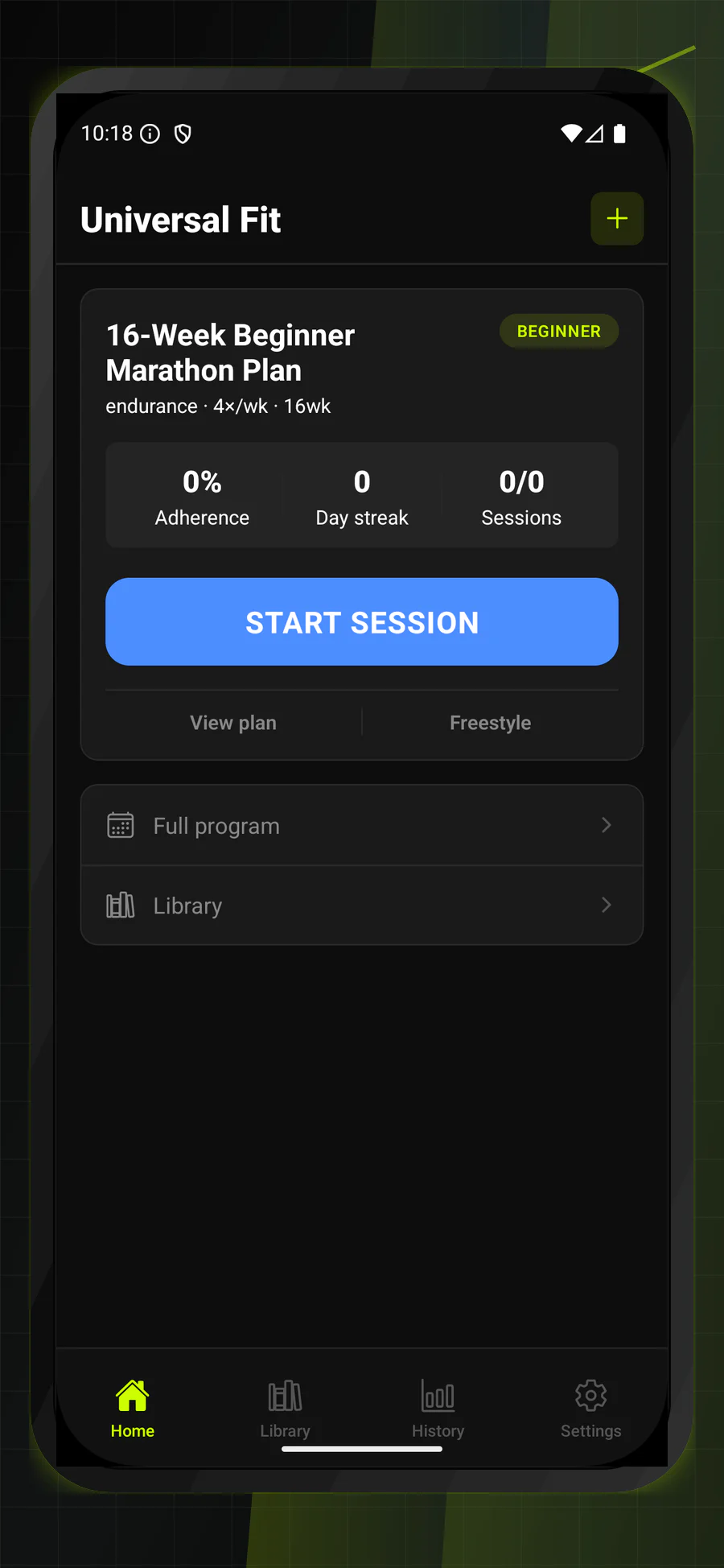
App screens
Real Universal Fit screens, not placeholder fitness art.
The public site now shows the same dark training surface users see when they import, generate, track, and tune their plans.
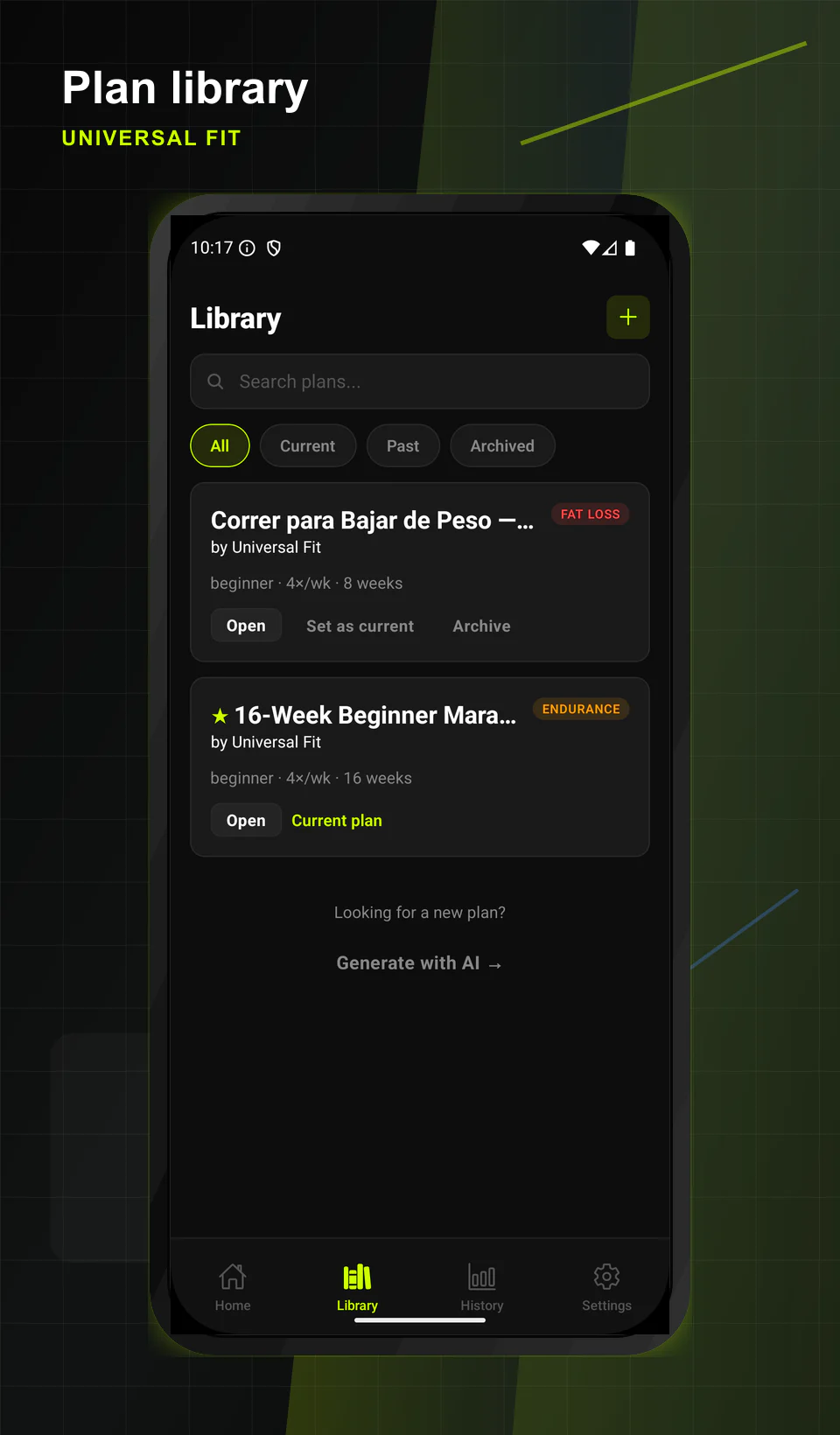
Library
Find current, past, and archived plans from one compact shelf.
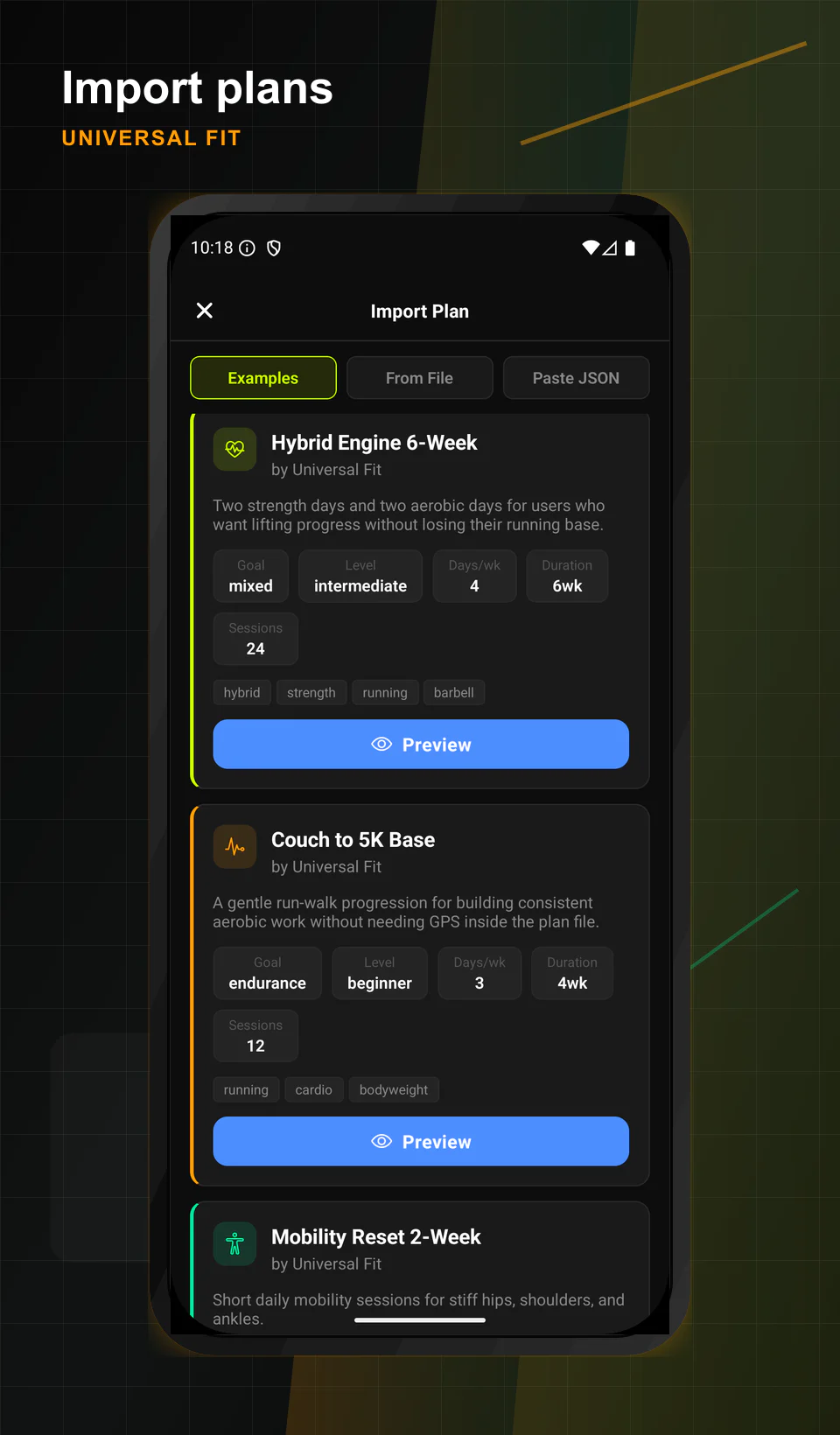
Import plans
Preview example plans, import from a file, or paste JSON directly.
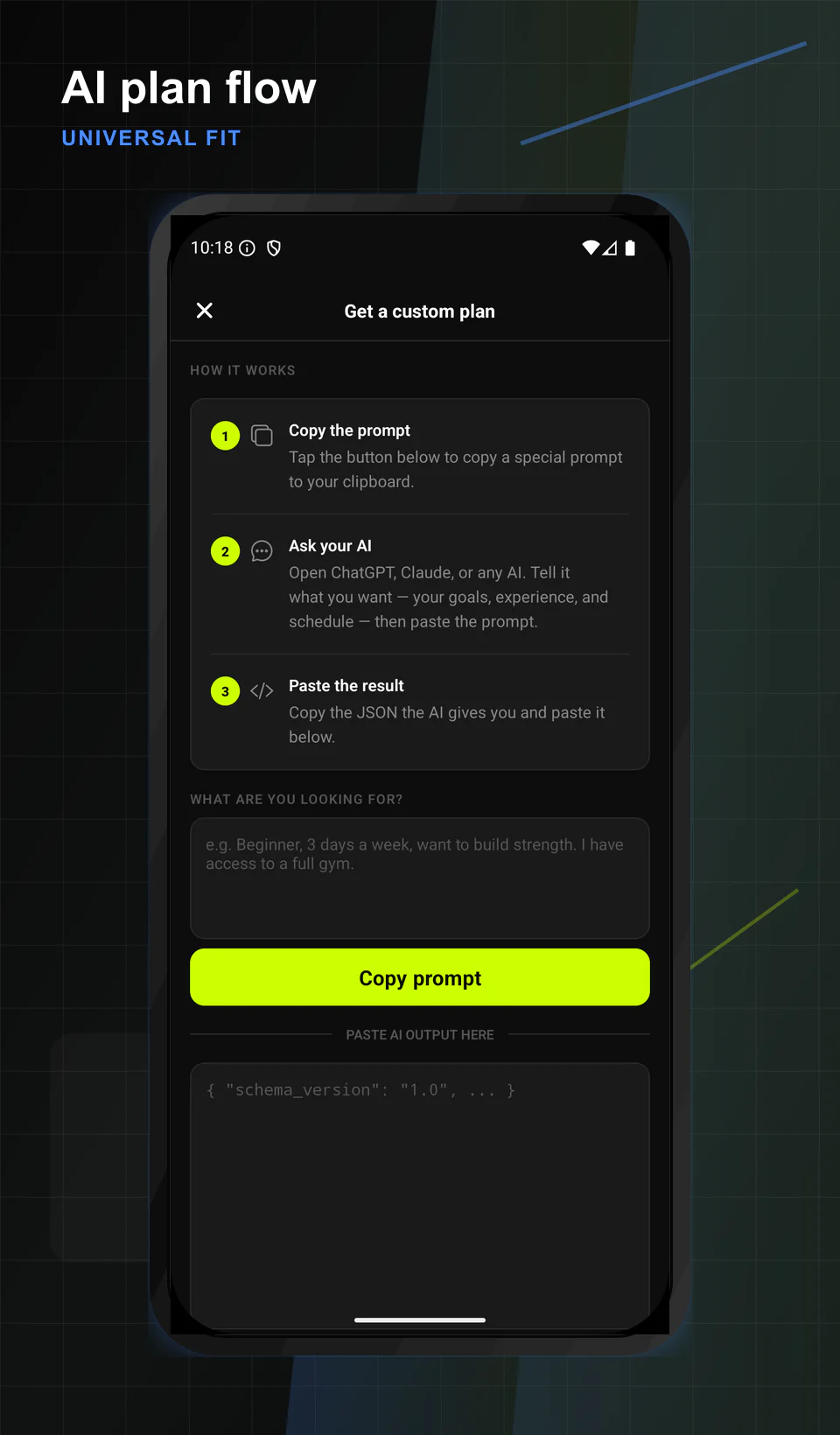
AI plan flow
Copy a structured prompt, ask an assistant, then paste the JSON back into the app.
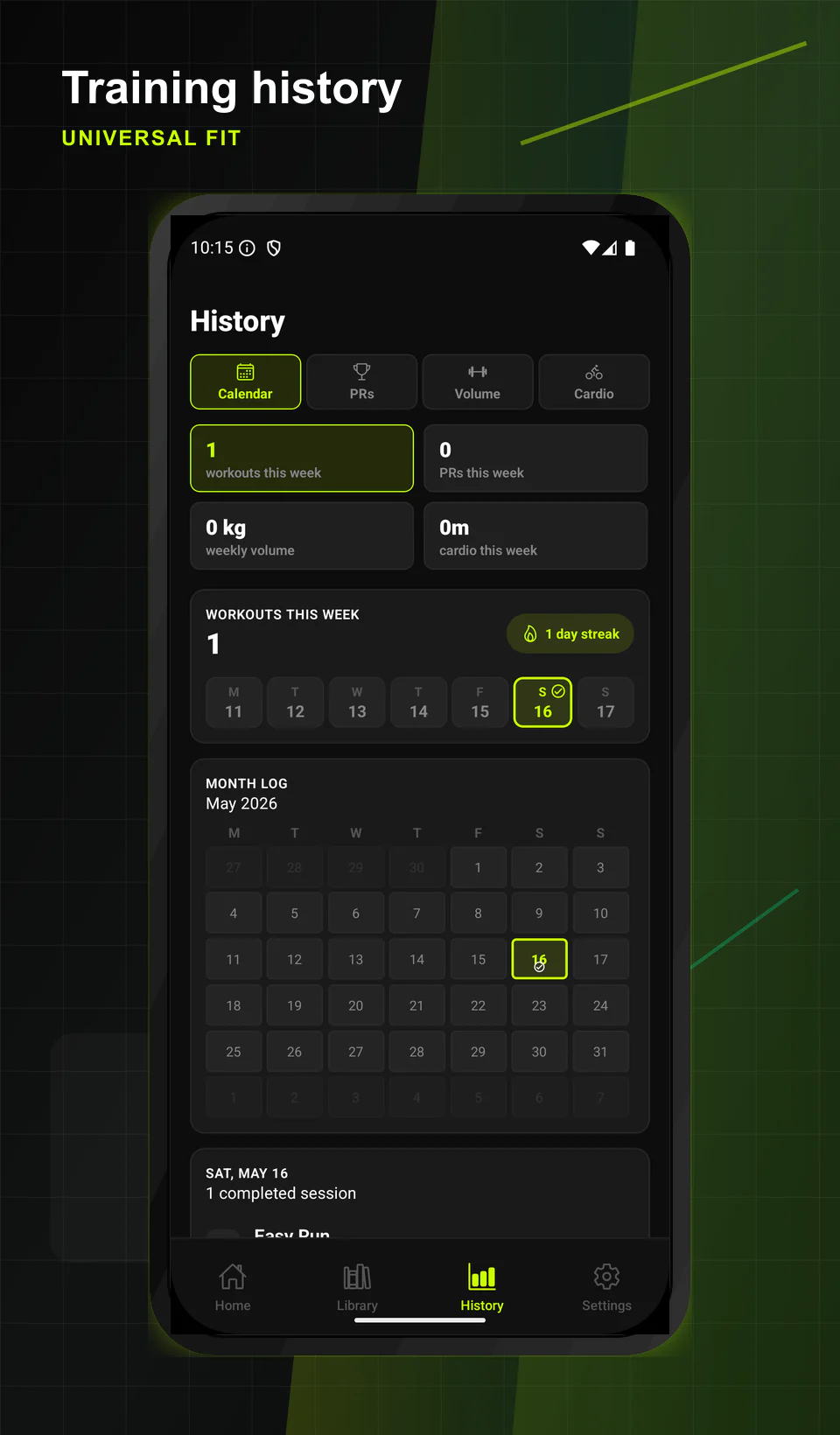
History
Review weekly streaks, PRs, cardio, volume, and calendar progress.
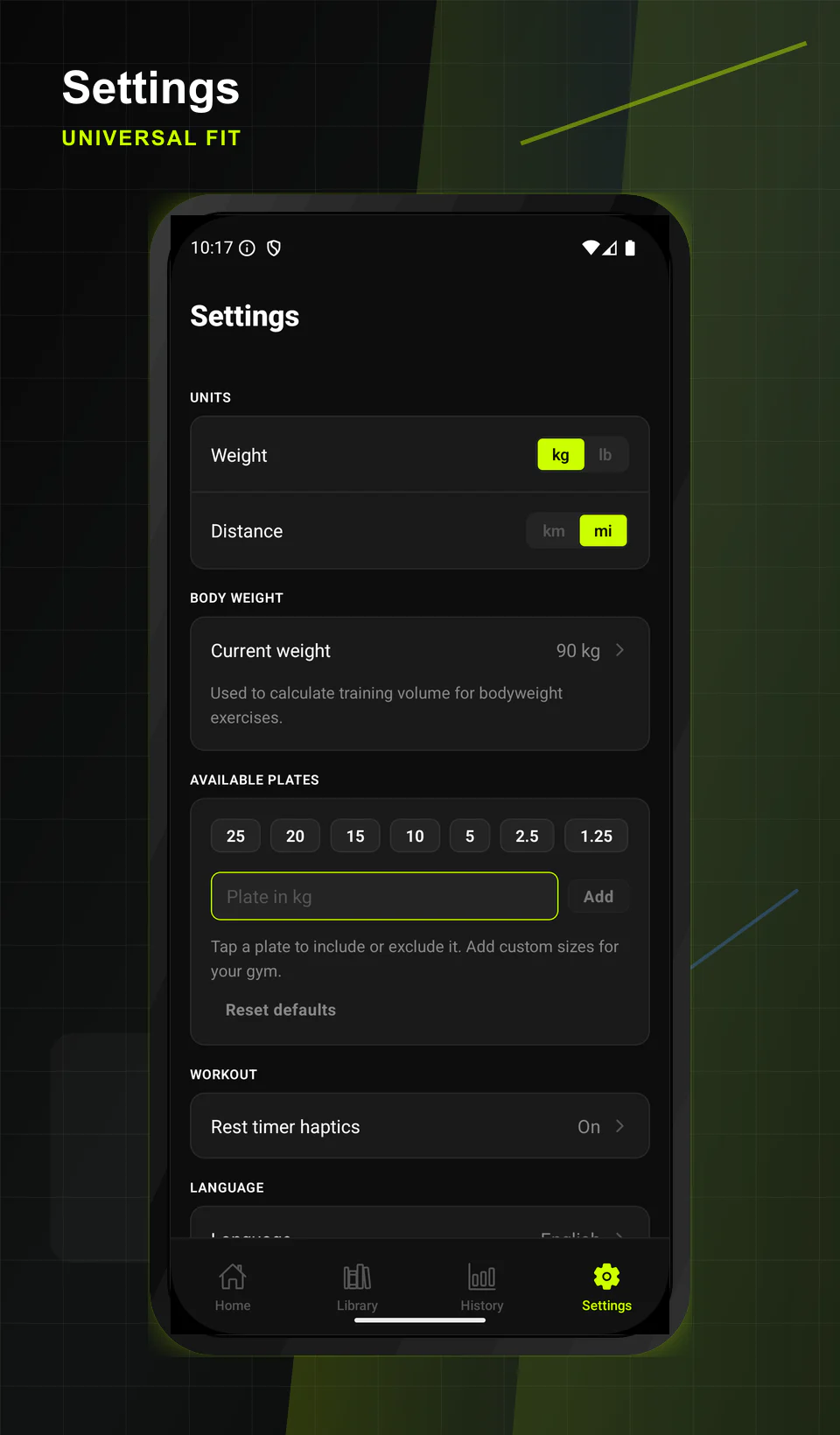
Settings
Keep units, body weight, available plates, language, and workout preferences close.
Examples
Start with real JSON examples.
The site ships with a small static catalog first. Later the same loader can index a full curated plan library.
Open project
Support and roadmap live on GitHub.
The public site points users into structured issue forms for bugs, feature ideas, schema feedback, and plan submissions.